WP Simple Author Box Review – WordPress Plugins for Bloggers
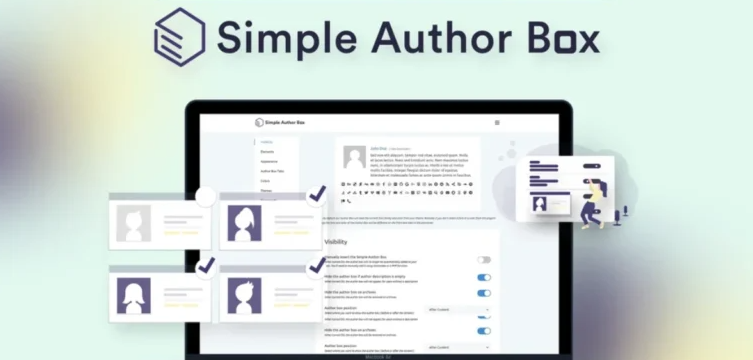
Are you worried about adding an author box to your multi-user website posts? WP Simple Author Box can help you add a fully customizable author box to any WordPress site.
This plugin can help you control over 50 options, which can improve your user experience and engagement. One of the major features of this plugin is that it is compatible with any plugin and theme and can replace the author box.
This plugin is easy to set up and offers multiple customization options even for beginners. It is a versatile tool that can help make your website more engaging and professional.
In this review, we’ll discuss the features, functionality, ease of use, and overall performance of the WP Simple Author Box.
What is WP Simple Author Box?
With the lightweight WordPress plugin WP Simple Author Box, you can add an amazing author bio box after your posts. It gives the readers more background information: the name, photo, social media links of the author, and a short bio.
Simple Author Box Users
Bloggers
Content creators
Web design agencies
Content marketing
Small Business
WP Simple Author Box Features

Simple Author Box
Effortless integration with WordPress guarantees easy setup and use. Once installed, it automatically adds an author box to the end of each post without the need for complex configuration.
Customized Author Box
WP Simple Author Box offers customization options for the author box, allowing you to create a look that matches your design. You can customize the box’s colors, fonts, and layout to match your theme.
Responsive Design
WP Simple Author Box This plugin is fully responsive, meaning it will look great on any device, whether your desktop, tablet, or mobile. Also, this is crucial for websites where users access content from a variety of devices.
Link control and Social Links
One of the standout features of the WP Simple Author Box plugin is its ability to display detailed author information. You can include an author’s name, biography, profile picture, and social media links.
Display Options and More Widgets
This plugin offers multiple display options, which also allows you to decide where your author box appears.
Multiple Authors Supports
For multi-author websites, this tool is extremely useful. It can automatically display the author’s details for each website. Once you configure it, you can use it with ease.
Typography control
You have full control over the font family and size of your author box typography.
Premium Features
While the free version of this tool offers a lot of functionality, the premium version of WP Simple Author Box comes with more advanced features.
»»Buy It Now»»
WP Simple Author Box Regular Pricing
Personal $39/yearly
1 Supported Sites
Premium Support & Updates
All Plugin Features
Color Schemes
Post Co-authors
Guest Authors
Gutenberg Block & Widgets
Team $69/yearly
3 Supported Sites
Licenses/Sites Manager
White Label
Premium Support & Updates
All Plugin Features
Color Schemes
Post Co-authors
Guest Authors
Gutenberg Block & Widgets
Agency $99/lifetime
100 Supported Sites
Licenses/Sites Manager
White Label
Rebranding
Premium Support & Updates
All Plugin Features
Color Schemes
Post Co-authors
Guest Authors
Gutenberg Block & Widgets
WP Simple Author Box Review – AppSumo @$39
10 sites license
All current & future plugin features
All author box templates
Centralized Dashboard
Stack 1 additional code:
50 sites license in total
Stack 2 additional codes:
unlimited sites license
Complete plugin rebranding
White-label feature
WP Simple Author Box Review – Plan & Features
Lifetime access to WP Simple Author Box Pro Plan
You must redeem your code(s) within 60 days of purchase
All future WP Simple Author Box Pro Plan updates
Complete plugin rebranding
White-label feature
FAQ
How do I install WP Simple Author Box?
First, go to your WordPress dashboard, click Add New, search for WP Simple Author Box, and click Install Now to activate it.
Does the WP Simple Author Box plugin work with all themes?
This plugin is designed to be lightweight and works with all types of WordPress themes.
Does this plugin support multiple authors?
Yes, the WP Simple Author Box plugin fully supports multi-author WordPress sites; it automatically pulls information from the user profile.
Do I need coding skills to use Simple Author Box?
Of course not! You can use our plugin without writing a single line of code.
![AffSync AppSumo Lifetime Deal | Affiliate Program Research Tool [$89]](https://cdn.hashnode.com/res/hashnode/image/upload/v1750440307907/de633e78-6b59-4da6-ae5e-a36fe9349288.png)

![Legitt AI Lifetime Deal [$59], Review, Features & Pricing](https://cdn.hashnode.com/res/hashnode/image/upload/v1750439814669/6a9af532-1eb1-4be3-a811-c55acd4c3af0.png)

![Emailit AppSumo Lifetime Deal [$39] – Best Email API for Developers](https://cdn.hashnode.com/res/hashnode/image/upload/v1750439014029/e6473c9e-7fb7-47bd-be45-955acfa87735.png)